
How to Create Kubernetes Technical Architecture in 5 Simple Steps
Don't skip this. This is the exact process I follow to create my Kubernetes Technical Architectures.

These are the steps I follow to put a technical architecture.
I have already posted this on my other social channel,
but I made changes to this for enhanced clarity.
1. The Scope:
This is the first step to any Kubernetes technical architecture diagram.
Understanding the end goal should be the task number 1.
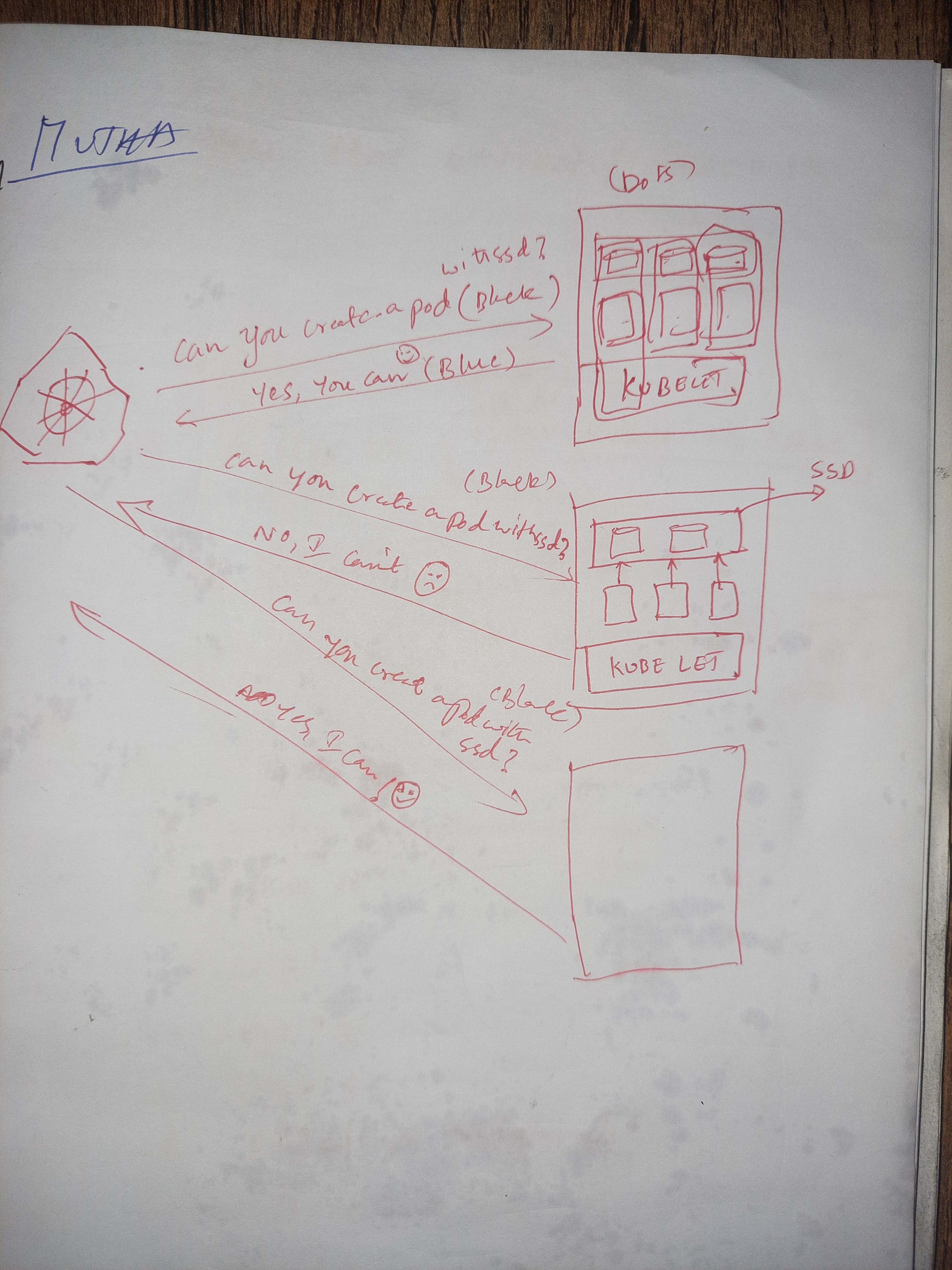
For the example in this post: I asked myself this question: “How can I visually show “Kubernetes scheduling pods on worker node that has an SSD disk”?
2. Requirements:
To answer above question, I need to visualize all the required elements/components in the architecture diagram.
For example, before creating the following diagram (step 3 and 4 has details), I had following list ready.
Like:
1. Kubernetes Cluster Icon.
2. The Worker Nodes.
3. Storage Disks.
4. Kubelet.
Relationships between components:
This is important to represent the flow of data or communication.
Use appropriate connectors to link the components.
Put everything on a paper for enhanced clarity.
Here is the initial draft I created.
Simplify:
Group related components together to improve diagram quality. You can’t confuse your reader.
Also consistency in the use of icons and colors is super important.
This helps in conveying information more effectively.
Here’s the final version of the draft.

Review and Validate:
Before finalizing the diagram, show it to a friend or a colleague.
Sometimes you can’t see some obvious mistakes, a second person view will help there.
That’s it. Hope you like it.
If you like my work, consider checking my new Youtube Channel (@MuthaNagavamsi)
Also consider doing a Repost. It really helps ♻️
Here’s the video explaining this concept. Kubernetes Tutorial for Beginners: NodeAffinity.
I’m Mutha Nagavamsi Follow me for Kubernetes, Devops and tech content. I create content regularly here.
Before you leave, don’t forget to SMILE 😁